

Find Top Solana Validators
There are three main ways to search for validators on the Orb explorer:- Orb’s Solana Validator Directory
- The validators table on the Network page
- Search validators by name
Solana Validator Directory
All currently active Solana validators are listed, by stake weight, in the Solana Validator Directory.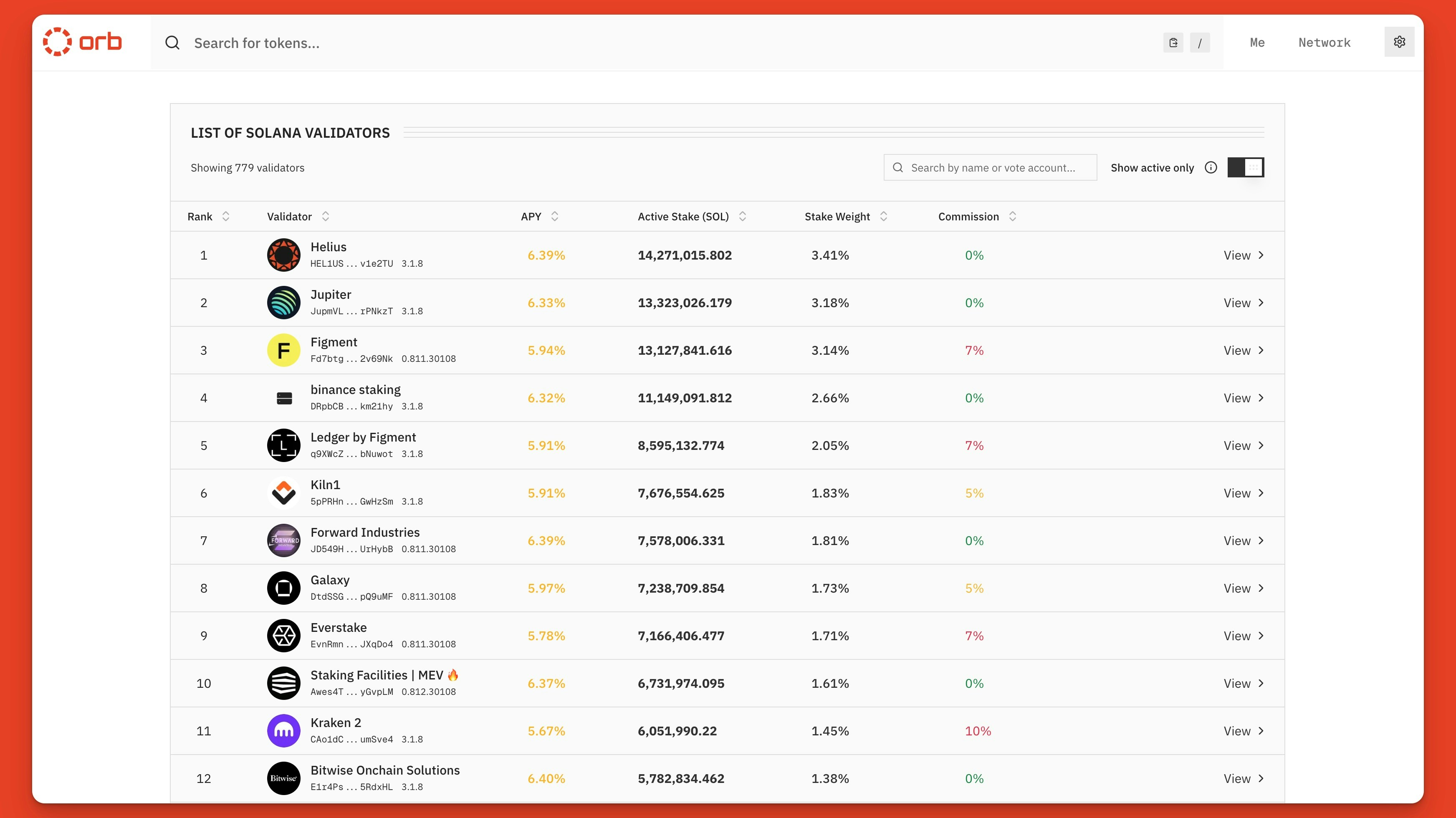
View, search, and sort all validators on the Solana Validator Directory
- Sort by APY and commission rate
- Sort by stake and stake weight
- Search by name and vote account
- Filter by active validtors
Searching for Validators
To find validators on Orb, simply enter their name or vote identity in the search bar. If there are multiple results for your query, filter by the “Validator” category.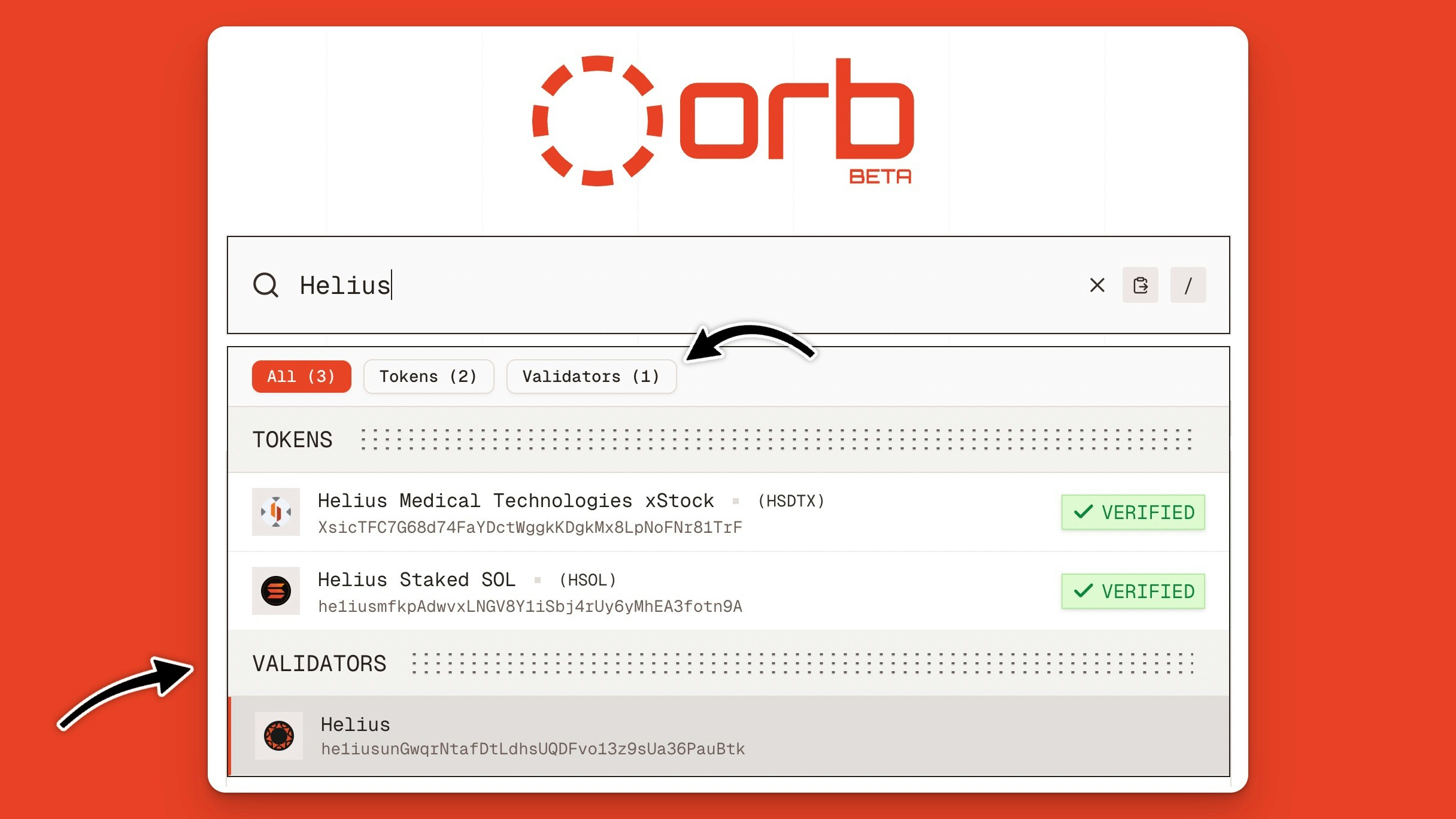
Search for Solana validators by name or identity on the Orb explorer
Network Section
The Solana network statistics page has a summary view of the top 10 Solana validators ranked by total stake. From here, you can quickly see the top validators, sort results, and paginate through the list.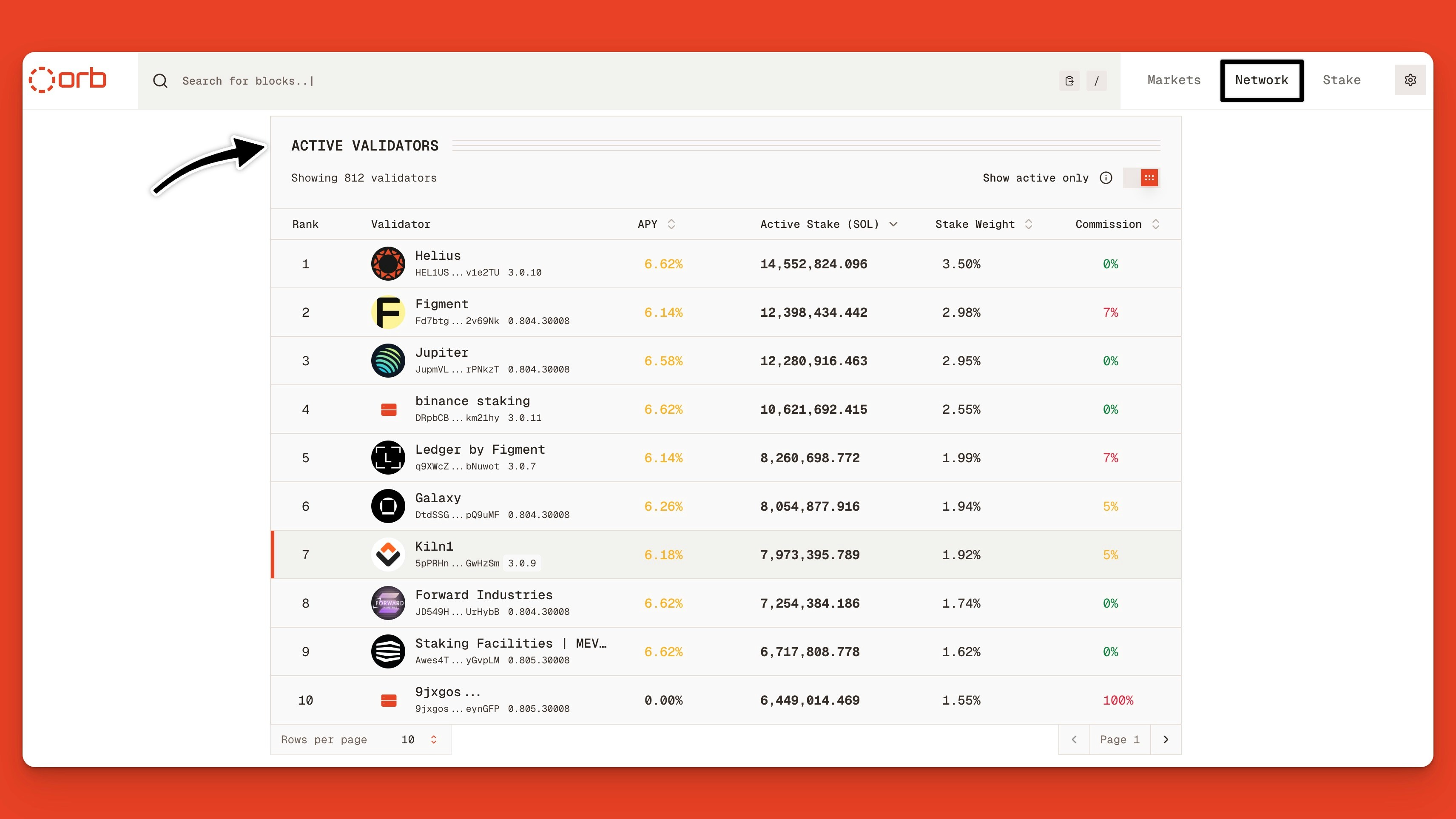
Explore top Solana validators on the Orb explorer network statistics page
Researching Solana Validators
Let’s break down the Solana validator performance metrics you can find on Orb.Validator Stake and APY
At the top of the page, you can see the validator’s total active stake, APY, commission rates, and other high-level information.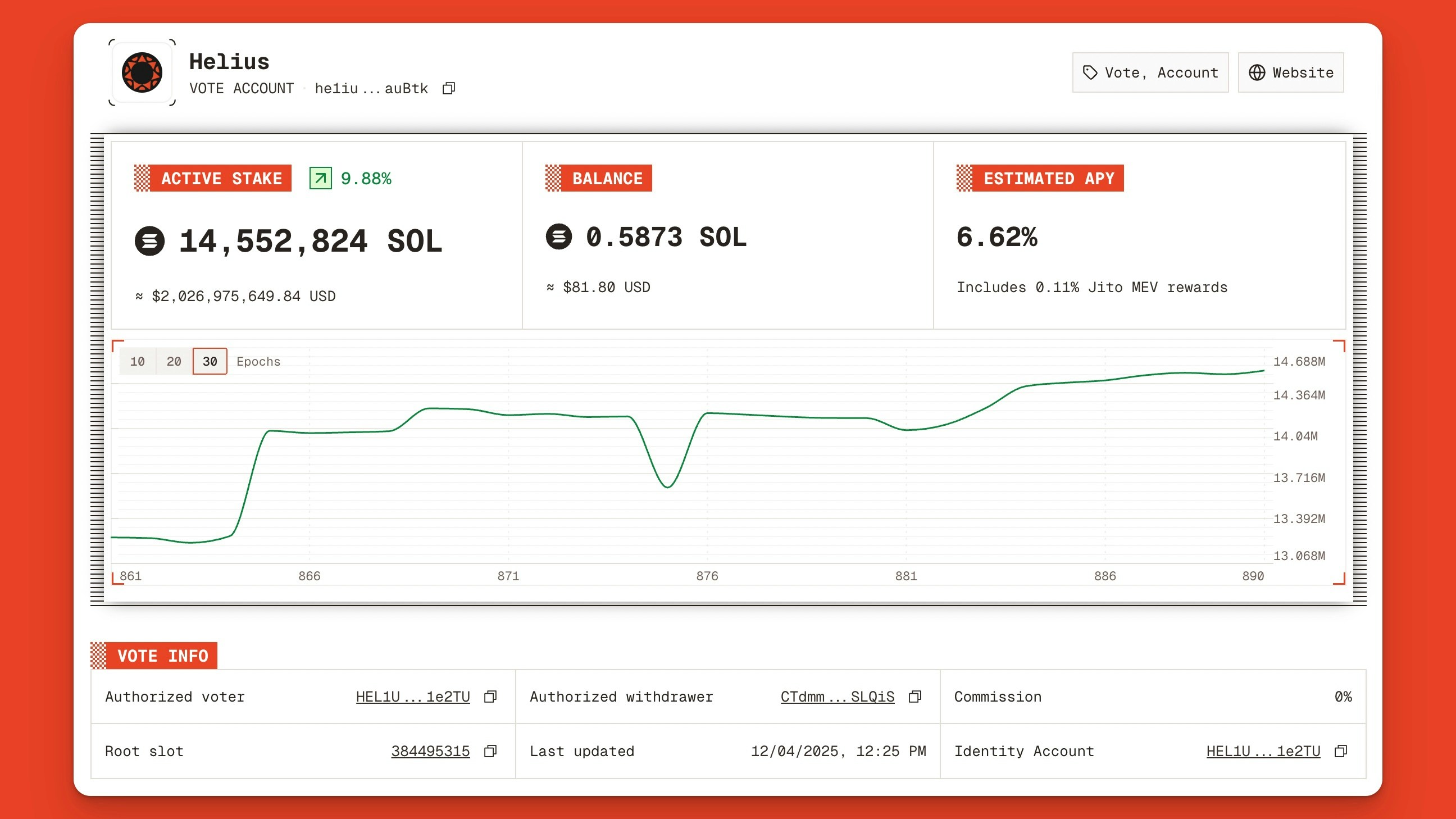
The validator performance metrics summary for the Helius validator on Orb
- Authorized voter address: the public key permitted to cast votes on behalf of the validator’s stake
- Authorized withdrawer: the public key permitted to withdraw SOL from the stake account
- Identity account: the system account that pays for vote transaction fees submitted to the vote account
Validator Transaction History
Below the metadata section, you’ll find a table with five different sections. These sections can be navigated using keyboard shortcuts. Simply type the numbers 1-5 to access each tab. In the History section, you’ll find the validator’s most recent transactions. These will mainly be votes cast on recent blocks. Click See more details to inspect the transaction.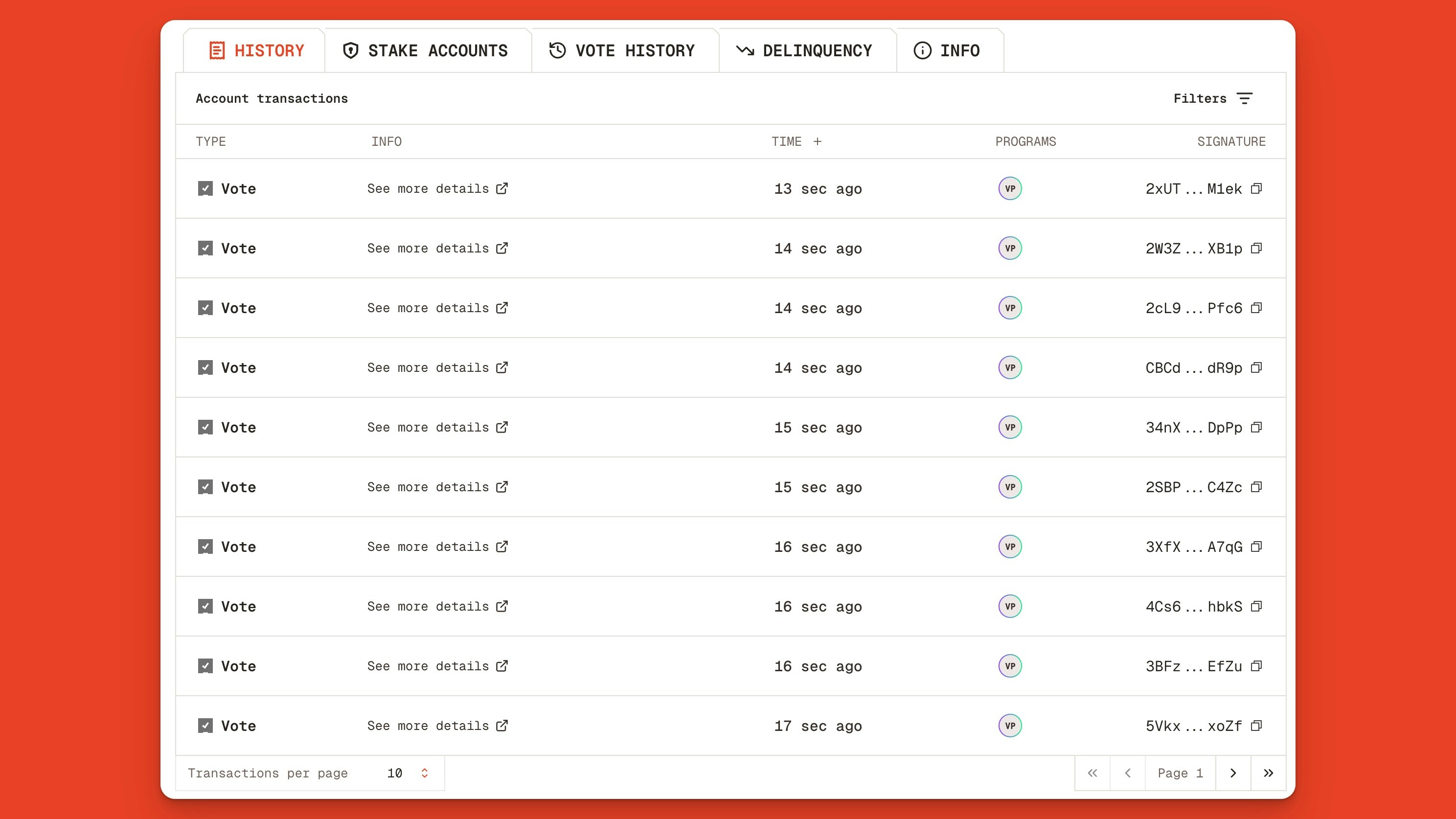
The most recent transactions executed by the Helius validator
Validator Stake Accounts
Using shortcut “2”, navigate to the Stake Accounts section. In this table, view the account, total delegated stake, activation epoch, account creation date, and account metadata, including withdraw and stake authority.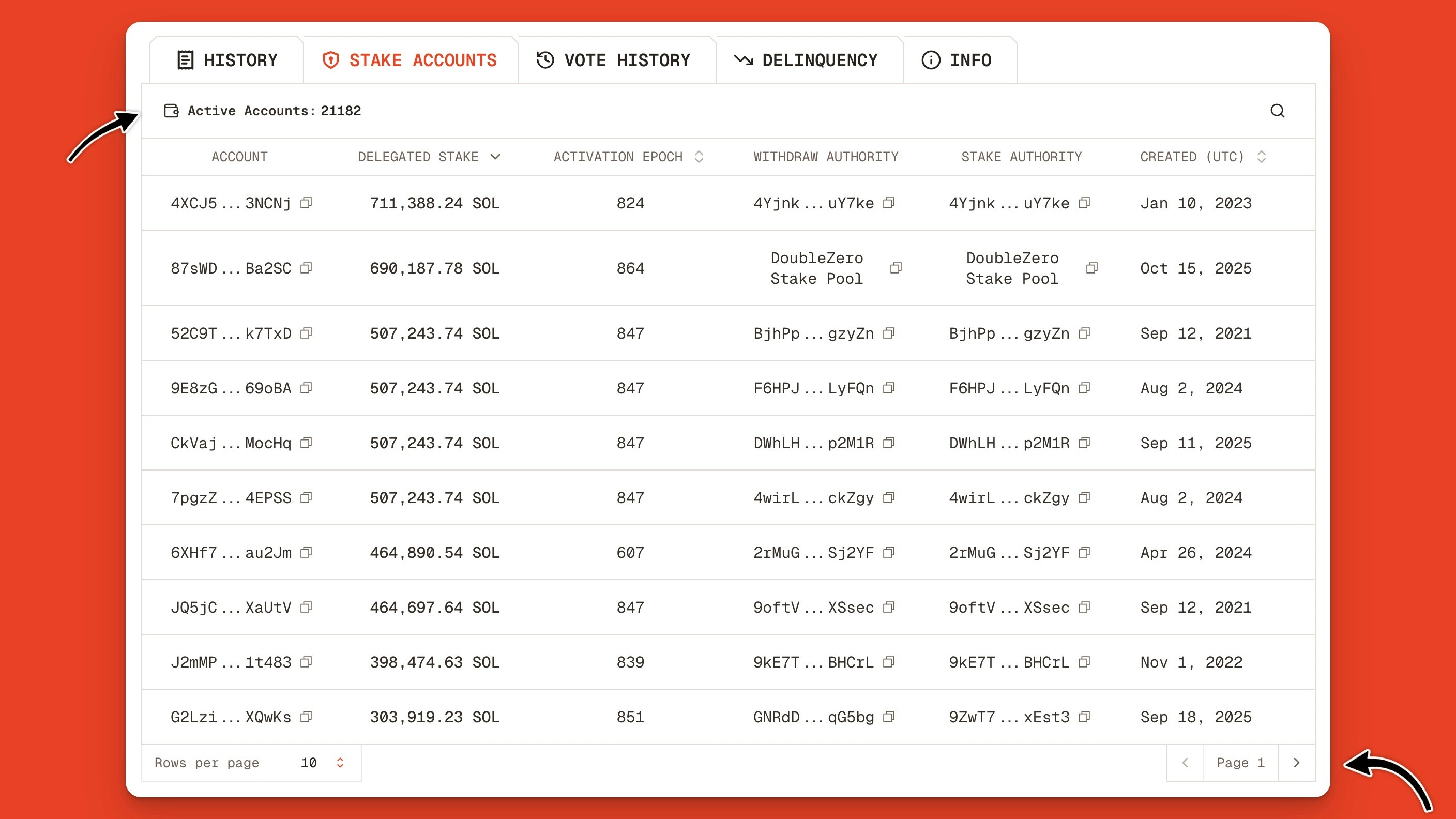
The top 10 Solana stake accounts delegated to the Helius validator
Validator Vote History
Typing “3” on your keyboard will take you to the Vote History page. This page shows the most recent slots the validator voted on, along with the confirmation count. For blocks to be “rooted” on Solana, they need to receive 32 confirmations. This will give it the “Finalized” commitment.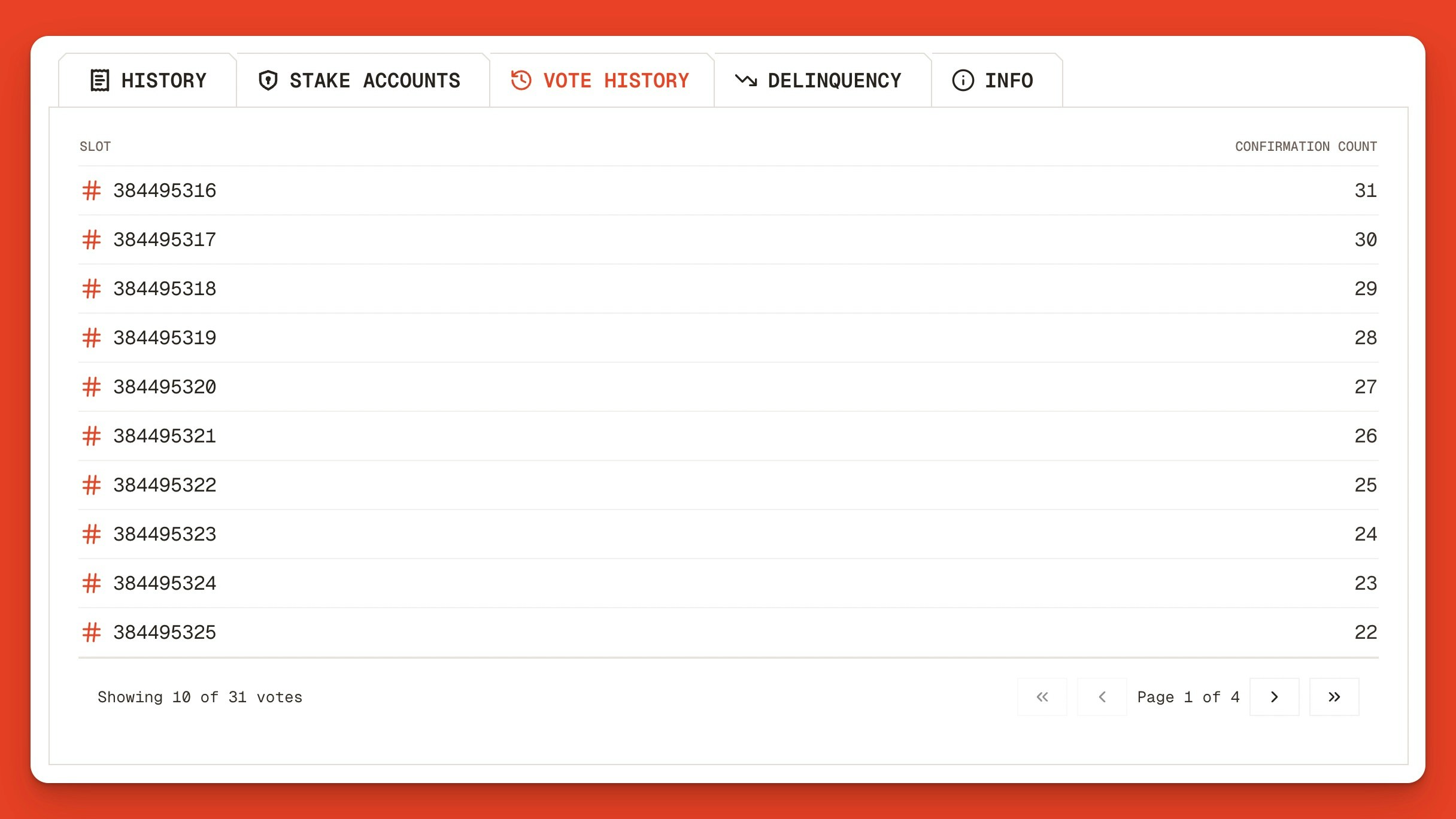
Helius’s Solana validator vote history page on the Orb explorer
The finalization commitment levels will change with the introduction of Alpenglow, Solana’s upcoming consensus upgrade that replaces TowerBFT.
Validator Delinquency Metrics
The Delinquency tab shows the total number of delinquent days and the total delinquent minutes over the last 12 months. You can view this in a heatmap view or as a table. Delinquent stake refers to a validator’s total stake for which it has failed to cast a vote on the network for a specified period, falling behind the cluster. For example, Binance’s Solana validator has experienced 40 delinquent days and 651 delinquent minutes over the past 12 months.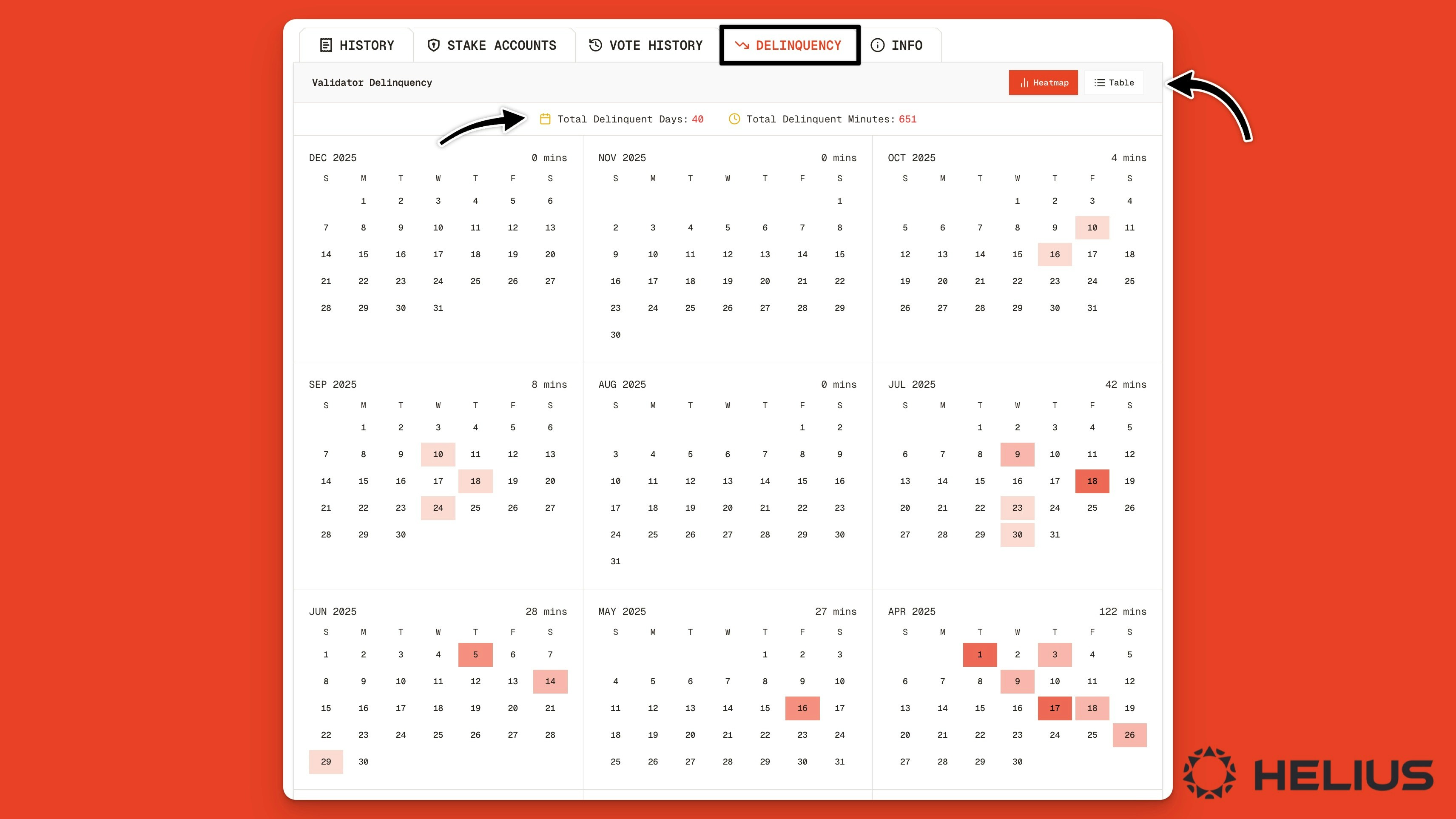
Binance’s Solana validator delinquency heatmap on the Orb explorer
Validator Info
The Info tab shows a description of the validator along with key details such as:- Identity: the unique public key identifying the validator
- Stake weight: the total amount of SOL delegated to this validator
- Client version: the software version the validator is currently running
- Commission: The percentage of staking rewards the validator takes as a fee
- Website: a link to the validator operator’s website or informational page
- Location: the geographic location of the validator’s server
- Network: the provider hosting the validator’s server (e.g., Teraswitch, Latitude, etc.)
- ASN: the Autonomous System Number identifying the network provider
- Skip rate: the percentage of scheduled blocks the validator missed producing
- Vote success rate: the percentage of valid votes the validator successfully submitted
- Uptime: the duration the validator has been actively validating and voting
- Last vote: the slot number of the most recent block the validator voted on
- First epoch: the epoch number when the validator first began participating
- Root slot: the most recent slot number the validator has finalized
- Epoch credits: the number of vote credits the validator earned within the current epoch
- Total credits: the cumulative number of vote credits the validator has earned all time
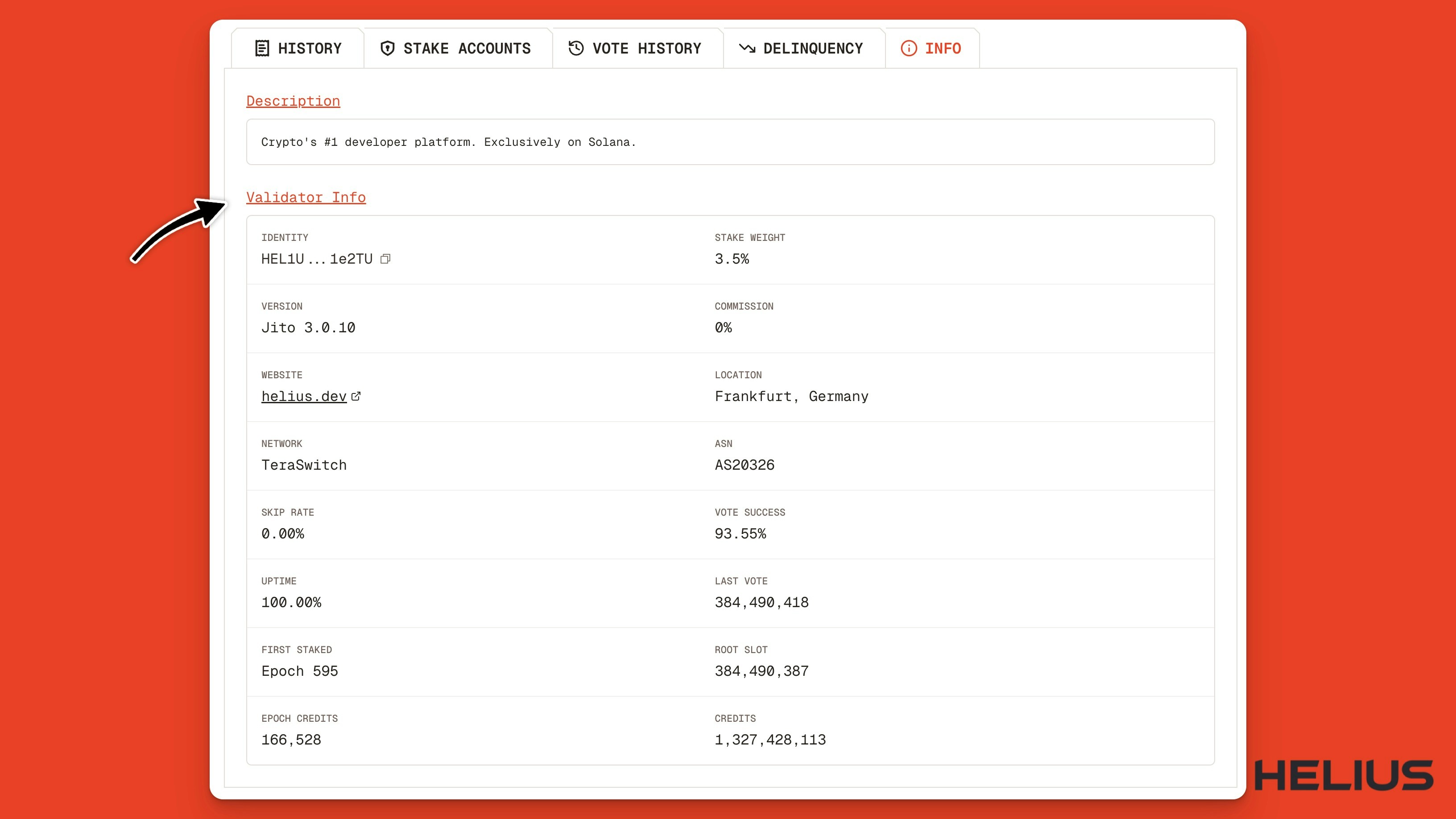
The Helius validator info tab on the Orb explorer
- Uptime: low uptime means more skipped blocks and fewer rewards
- Skip rates: more skipped blocks means less issuance and MEV rewards earned
- Vote success rates: lower success rates mean fewer vote credits and fewer rewards