> ## Documentation Index
> Fetch the complete documentation index at: https://www.helius.dev/docs/llms.txt
> Use this file to discover all available pages before exploring further.
# Solana 专用节点设置:完整入门指南
> 完整指南,帮助您设置 Solana 专用节点,支持 gRPC 流、Yellowstone 插件,以及针对区块链数据的最佳配置。
## 如何订购专用节点
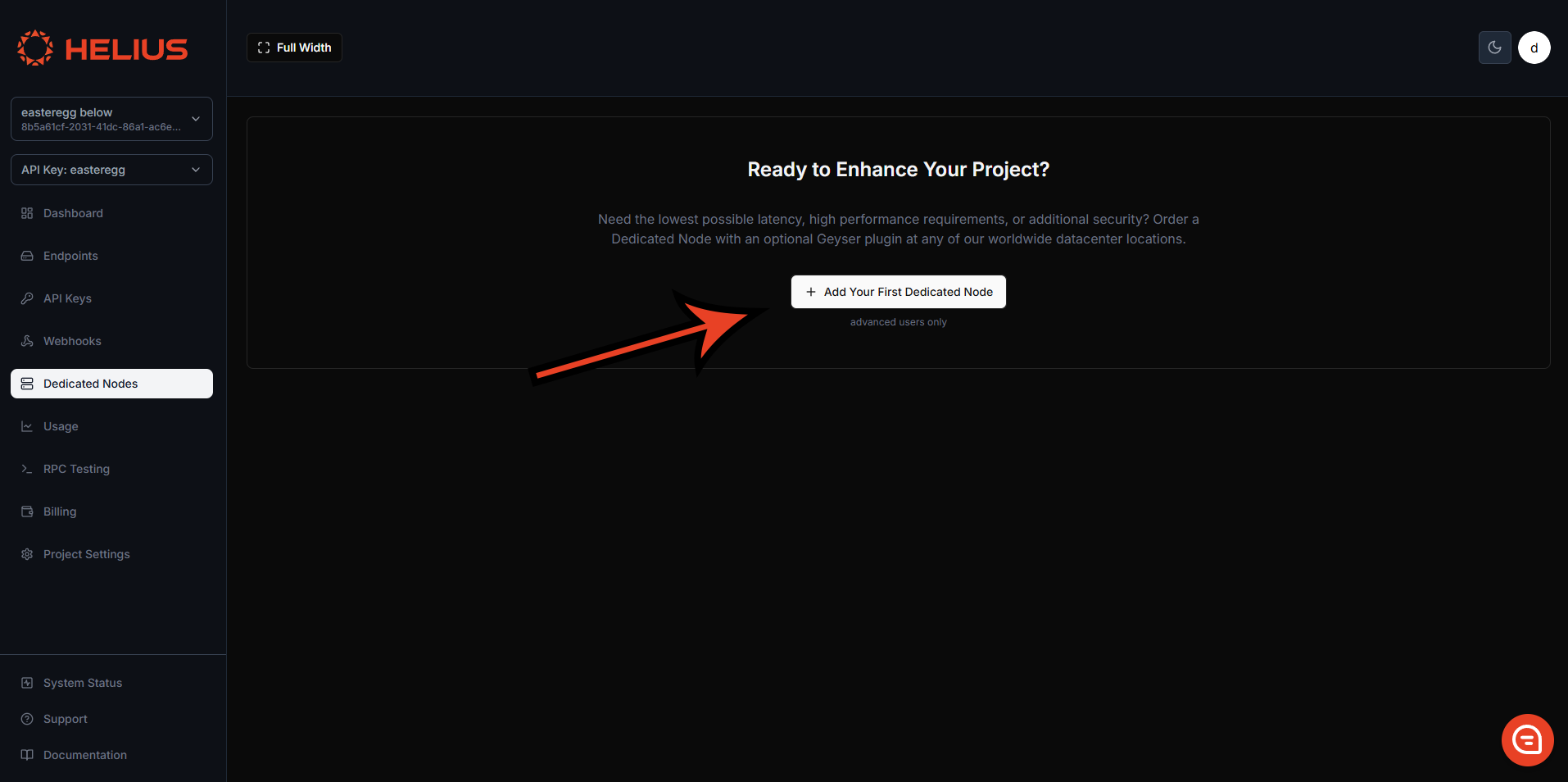
专用节点可以直接从 [开发者门户](https://dashboard.helius.dev/dedicated-nodes) 的专用节点选项卡中订购。
 ### 节点类型
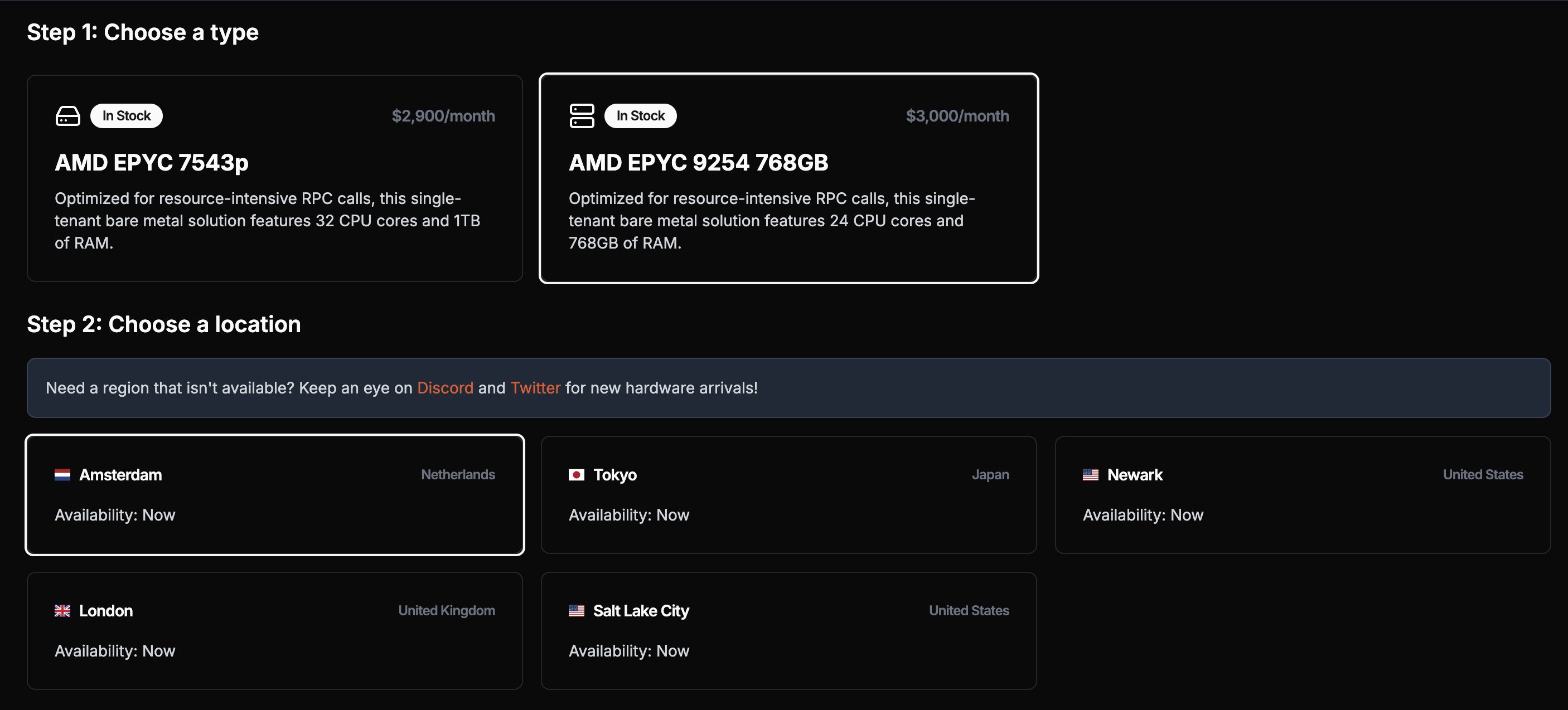
您选择的节点类型取决于您的需求。由于我们不设置任何速率限制,您的节点性能将完全依赖于其规格。
**对于 gRPC 流应用程序**(主要用例),任何节点类型都能良好运行。
**重要**:虽然支持[`getProgramAccounts`](/zh/api-reference/rpc/http/getprogramaccounts),但专用节点未针对这些调用进行优化。大量使用可能会影响节点性能,甚至导致节点故障。使用您的共享计划进行`getProgramAccounts`查询,因为它有一个自定义索引器,可以使这些调用更快更可靠。
### 节点类型
您选择的节点类型取决于您的需求。由于我们不设置任何速率限制,您的节点性能将完全依赖于其规格。
**对于 gRPC 流应用程序**(主要用例),任何节点类型都能良好运行。
**重要**:虽然支持[`getProgramAccounts`](/zh/api-reference/rpc/http/getprogramaccounts),但专用节点未针对这些调用进行优化。大量使用可能会影响节点性能,甚至导致节点故障。使用您的共享计划进行`getProgramAccounts`查询,因为它有一个自定义索引器,可以使这些调用更快更可靠。
 ### 节点位置
我们在多个地区提供节点:北美(匹兹堡、纽瓦克、盐湖城、洛杉矶、温哥华);欧洲(都柏林、伦敦、阿姆斯特丹、法兰克福);以及亚洲(东京、新加坡),以确保全球 Solana 基础设施的最佳地理覆盖。
为了获得最佳延迟,请选择离您的服务器最近的节点。您的节点将在付款后三小时内部署。
### 节点客户端
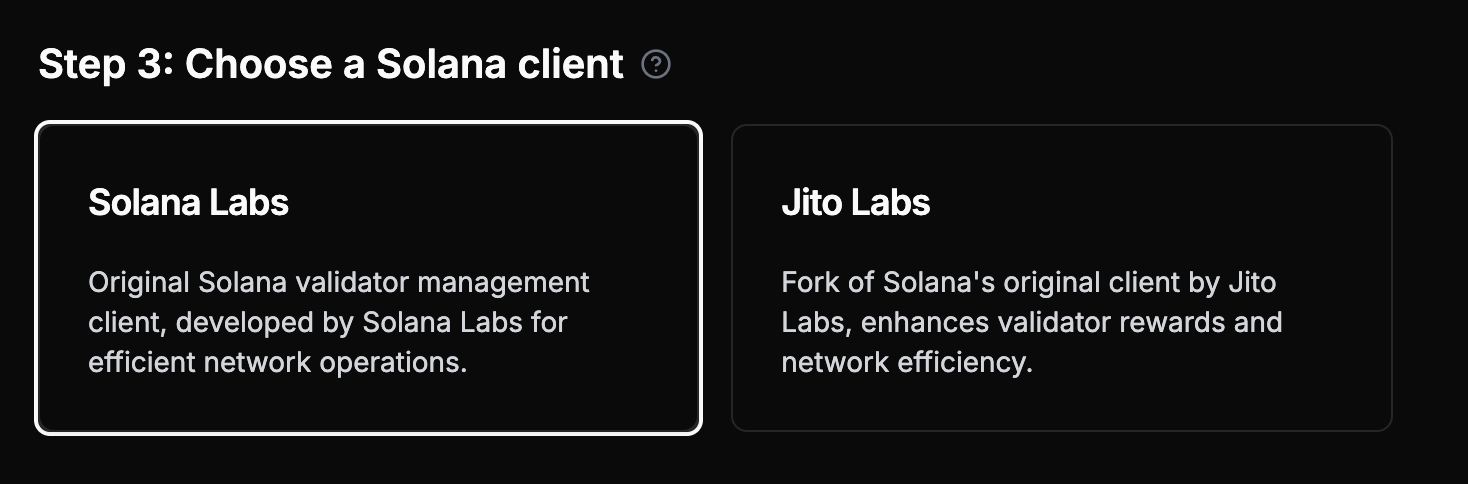
您可以通过选择客户端类型自定义您的节点——可以是Agave或Jito Labs(Agave的分支,附加了方法`simulateBundle`)
### 节点位置
我们在多个地区提供节点:北美(匹兹堡、纽瓦克、盐湖城、洛杉矶、温哥华);欧洲(都柏林、伦敦、阿姆斯特丹、法兰克福);以及亚洲(东京、新加坡),以确保全球 Solana 基础设施的最佳地理覆盖。
为了获得最佳延迟,请选择离您的服务器最近的节点。您的节点将在付款后三小时内部署。
### 节点客户端
您可以通过选择客户端类型自定义您的节点——可以是Agave或Jito Labs(Agave的分支,附加了方法`simulateBundle`)
 专用节点**不能**自行发送Jito Bundles。要发送Jito Bundles,您必须使用Jito API,该API负责通过Jito的系统打包和发送Bundles。
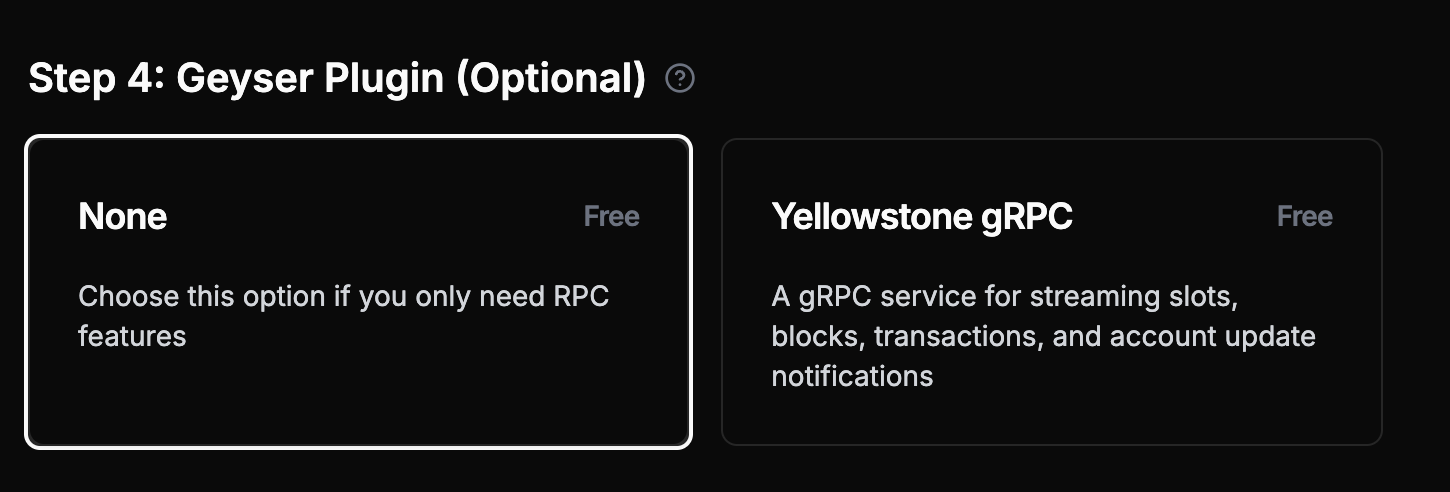
### Geyser插件(推荐)
**我们强烈推荐添加[Yellowstone](https://github.com/helius-labs/yellowstone-grpc) Geyser插件**,这是专用节点的主要用例。它提供高性能的[ gRPC流](/zh/grpc)插槽、区块、交易和账户更新。
专用节点**不能**自行发送Jito Bundles。要发送Jito Bundles,您必须使用Jito API,该API负责通过Jito的系统打包和发送Bundles。
### Geyser插件(推荐)
**我们强烈推荐添加[Yellowstone](https://github.com/helius-labs/yellowstone-grpc) Geyser插件**,这是专用节点的主要用例。它提供高性能的[ gRPC流](/zh/grpc)插槽、区块、交易和账户更新。
 **最佳实践**:专用节点针对gRPC流进行了优化。使用您的共享计划进行交易提交、存档查询和复杂的RPC操作。
### 支付选项
您可以通过法币或加密货币(USDC)支付。一旦您的付款通过,您的节点将在3小时内部署。
对于账单,法币支付将在下个月的账单中获得折扣,折扣天数为节点配置所需的天数。对于加密货币支付,账单周期从节点交付时开始。
### 演示
## 入门
一旦您的专用节点设置完毕并准备就绪(状态:**成功**),您就可以开始使用它。
## 连接到您的专用节点
### gRPC流(主要用例)
**专用节点通过Yellowstone Geyser插件优化了gRPC流。** 这是使用专用节点的主要和推荐方式。
**考虑使用 LaserStream 进行 gRPC 流式传输**:LaserStream 提供卓越的性能、可靠性和高级功能,如 24 小时历史重播,非常适合用于 99% 的流式传输用例。请[比较 LaserStream 与 Dedicated Nodes](/zh/laserstream/laserstream-vs-dedicated-nodes)以评估满足您需求的最佳解决方案,或通过您的 Helius Dashboard [开始使用 LaserStream](https://dashboard.helius.dev/laserstream)。
### 基本的 RPC 和 Websocket(功能有限)
每个专用节点也提供基本的 RPC 功能,但有一定限制。**对于生产应用程序,请将专用节点与共享计划结合使用。**
这里我们使用Solana web3.js通过我们的专用节点调用[`getSlot`](/zh/api-reference/rpc/http/getslot):
```javascript theme={"system"}
// Using @solana/web3.js
const { Connection } = require('@solana/web3.js');
const connection = new Connection('https://liveried-grazings-gxzjabdgqa-dedicated.helius-rpc.com?api-key=465964ff-f718-47d2-a51c-66ddcce332d7');
// Get the current slot
const getSlot = async () => {
const slot = await connection.getSlot();
console.log('Current slot:', slot);
};
getSlot();
```
这是设置本地 websocket 连接以流式传输新插槽的方法:
```javascript theme={"system"}
const Websocket = require('ws');
const ws = new Websocket('wss://liveried-grazings-gxzjabdgqa-dedicated.helius-rpc.com?api-key=465964ff-f718-47d2-a51c-66ddcce332d7 ');
ws.onopen = () => {
ws.send(JSON.stringify({
jsonrpc: '2.0',
id: 1,
method: 'slotSubscribe'
}));
};
ws.onmessage = (event) => {
console.log(JSON.parse(event.data));
};
```
**请记住**:上述RPC示例仅用于基本功能。专用节点限制:
* 支持[`sendTransaction`](/zh/api-reference/rpc/http/sendtransaction)但未优化 - 大多数交易将不会成功(请使用您的共享计划进行可靠的交易提交)
* 无法进行归档数据查询(请使用您的共享计划)
* 支持[`getProgramAccounts`](/zh/api-reference/rpc/http/getprogramaccounts)但未优化 - 大量使用可能影响性能或导致节点故障(请使用您的共享计划以保证可靠性)
**主要用例**:使用下面的 gRPC 流设置以获得最佳性能。
### 设置您的 Geyser 插件
要开始使用 Geyser 插件,您需要克隆 Yellowstone 仓库:
```shell theme={"system"}
git clone https://github.com/helius-labs/yellowstone-grpc.git
```
#### 使用 CLI
```sh theme={"system"}
cd yellowstone-grpc/examples/rust/
cargo run --bin client -- -e "https://liveried-grazings-gxzjabdgqa-dedicated-lb.helius-rpc.com:2053" --x-token 42f03938-1daa-4162-a457-bb551ecaf590 subscribe --slots
```
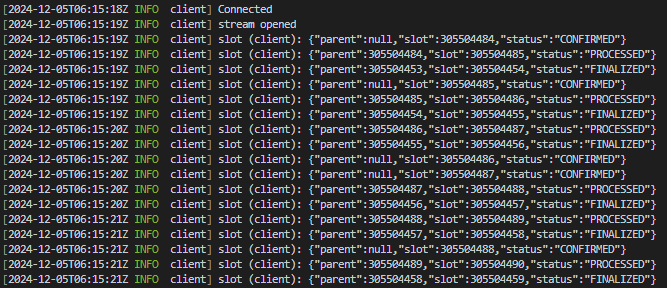
完成后,您应该会看到终端输出新插槽。不要忘记用您自己的 URL 和 Token 替换。
**最佳实践**:专用节点针对gRPC流进行了优化。使用您的共享计划进行交易提交、存档查询和复杂的RPC操作。
### 支付选项
您可以通过法币或加密货币(USDC)支付。一旦您的付款通过,您的节点将在3小时内部署。
对于账单,法币支付将在下个月的账单中获得折扣,折扣天数为节点配置所需的天数。对于加密货币支付,账单周期从节点交付时开始。
### 演示
## 入门
一旦您的专用节点设置完毕并准备就绪(状态:**成功**),您就可以开始使用它。
## 连接到您的专用节点
### gRPC流(主要用例)
**专用节点通过Yellowstone Geyser插件优化了gRPC流。** 这是使用专用节点的主要和推荐方式。
**考虑使用 LaserStream 进行 gRPC 流式传输**:LaserStream 提供卓越的性能、可靠性和高级功能,如 24 小时历史重播,非常适合用于 99% 的流式传输用例。请[比较 LaserStream 与 Dedicated Nodes](/zh/laserstream/laserstream-vs-dedicated-nodes)以评估满足您需求的最佳解决方案,或通过您的 Helius Dashboard [开始使用 LaserStream](https://dashboard.helius.dev/laserstream)。
### 基本的 RPC 和 Websocket(功能有限)
每个专用节点也提供基本的 RPC 功能,但有一定限制。**对于生产应用程序,请将专用节点与共享计划结合使用。**
这里我们使用Solana web3.js通过我们的专用节点调用[`getSlot`](/zh/api-reference/rpc/http/getslot):
```javascript theme={"system"}
// Using @solana/web3.js
const { Connection } = require('@solana/web3.js');
const connection = new Connection('https://liveried-grazings-gxzjabdgqa-dedicated.helius-rpc.com?api-key=465964ff-f718-47d2-a51c-66ddcce332d7');
// Get the current slot
const getSlot = async () => {
const slot = await connection.getSlot();
console.log('Current slot:', slot);
};
getSlot();
```
这是设置本地 websocket 连接以流式传输新插槽的方法:
```javascript theme={"system"}
const Websocket = require('ws');
const ws = new Websocket('wss://liveried-grazings-gxzjabdgqa-dedicated.helius-rpc.com?api-key=465964ff-f718-47d2-a51c-66ddcce332d7 ');
ws.onopen = () => {
ws.send(JSON.stringify({
jsonrpc: '2.0',
id: 1,
method: 'slotSubscribe'
}));
};
ws.onmessage = (event) => {
console.log(JSON.parse(event.data));
};
```
**请记住**:上述RPC示例仅用于基本功能。专用节点限制:
* 支持[`sendTransaction`](/zh/api-reference/rpc/http/sendtransaction)但未优化 - 大多数交易将不会成功(请使用您的共享计划进行可靠的交易提交)
* 无法进行归档数据查询(请使用您的共享计划)
* 支持[`getProgramAccounts`](/zh/api-reference/rpc/http/getprogramaccounts)但未优化 - 大量使用可能影响性能或导致节点故障(请使用您的共享计划以保证可靠性)
**主要用例**:使用下面的 gRPC 流设置以获得最佳性能。
### 设置您的 Geyser 插件
要开始使用 Geyser 插件,您需要克隆 Yellowstone 仓库:
```shell theme={"system"}
git clone https://github.com/helius-labs/yellowstone-grpc.git
```
#### 使用 CLI
```sh theme={"system"}
cd yellowstone-grpc/examples/rust/
cargo run --bin client -- -e "https://liveried-grazings-gxzjabdgqa-dedicated-lb.helius-rpc.com:2053" --x-token 42f03938-1daa-4162-a457-bb551ecaf590 subscribe --slots
```
完成后,您应该会看到终端输出新插槽。不要忘记用您自己的 URL 和 Token 替换。
 ### TypeScript 示例
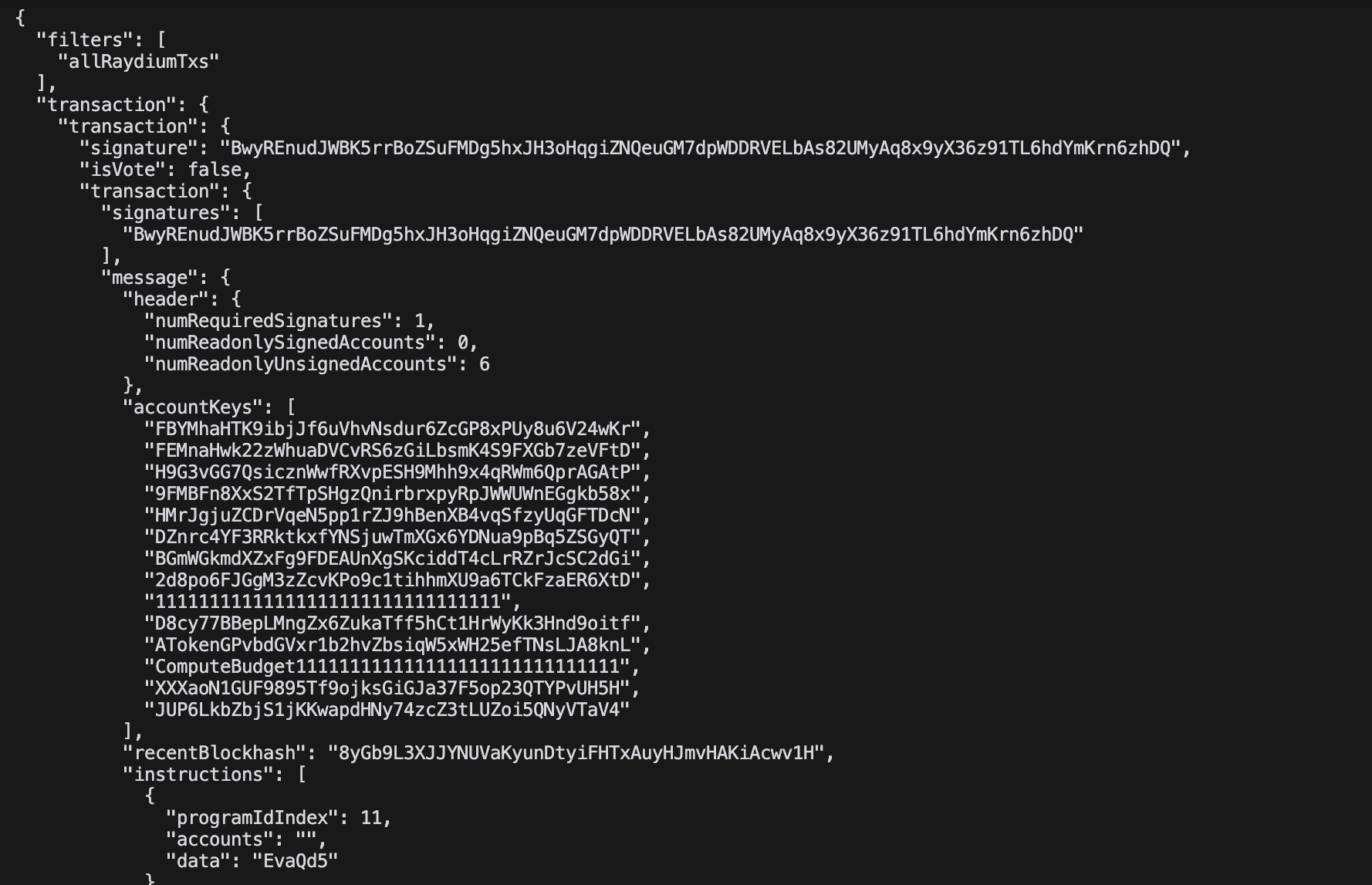
此示例以 JSON 格式实时流式传输所有 Raydium 交易:
```typescript theme={"system"}
import Client, { CommitmentLevel, SubscribeRequest } from "@triton-one/yellowstone-grpc";
import * as bs58 from 'bs58';
const processBuffers = (obj: any): any =>
!obj ? obj :
Buffer.isBuffer(obj) || obj instanceof Uint8Array ? bs58.encode(obj) :
Array.isArray(obj) ? obj.map(processBuffers) :
typeof obj === 'object' ? Object.fromEntries(Object.entries(obj).map(([k, v]) => [k, processBuffers(v)])) :
obj;
const main = async () => {
const client = new Client("grpc_url",
"x_token",
{ "grpc.max_receive_message_length": 64 * 1024 * 1024 });
const stream = await client.subscribe();
const write = (req: SubscribeRequest) => new Promise((resolve, reject) =>
stream.write(req, (err) => err ? reject(err) : resolve()));
stream.on("data", (data) => {
try { console.log(JSON.stringify(processBuffers(data), null, 2)); }
catch (e) { console.error('Error:', e); }
});
await write({
slots: {},
accounts: {},
accountsDataSlice: [],
transactions: {
allRaydiumTxs: {
accountInclude: ["675kPX9MHTjS2zt1qfr1NYHuzeLXfQM9H24wFSUt1Mp8"],
accountExclude: [],
accountRequired: [],
}
},
blocks: {},
blocksMeta: {},
entry: {},
commitment: CommitmentLevel.PROCESSED,
});
setInterval(() => write({
ping: { id: 1 },
accounts: {},
accountsDataSlice: [],
transactions: {},
blocks: {},
blocksMeta: {},
entry: {},
slots: {},
}).catch(console.error), 30000);
await new Promise((resolve, reject) => {
stream.on("error", (e) => { console.error("Stream error:", e); reject(e); stream.end(); });
stream.on("end", resolve);
stream.on("close", resolve);
});
};
main().catch(console.error);
```
### TypeScript 示例
此示例以 JSON 格式实时流式传输所有 Raydium 交易:
```typescript theme={"system"}
import Client, { CommitmentLevel, SubscribeRequest } from "@triton-one/yellowstone-grpc";
import * as bs58 from 'bs58';
const processBuffers = (obj: any): any =>
!obj ? obj :
Buffer.isBuffer(obj) || obj instanceof Uint8Array ? bs58.encode(obj) :
Array.isArray(obj) ? obj.map(processBuffers) :
typeof obj === 'object' ? Object.fromEntries(Object.entries(obj).map(([k, v]) => [k, processBuffers(v)])) :
obj;
const main = async () => {
const client = new Client("grpc_url",
"x_token",
{ "grpc.max_receive_message_length": 64 * 1024 * 1024 });
const stream = await client.subscribe();
const write = (req: SubscribeRequest) => new Promise((resolve, reject) =>
stream.write(req, (err) => err ? reject(err) : resolve()));
stream.on("data", (data) => {
try { console.log(JSON.stringify(processBuffers(data), null, 2)); }
catch (e) { console.error('Error:', e); }
});
await write({
slots: {},
accounts: {},
accountsDataSlice: [],
transactions: {
allRaydiumTxs: {
accountInclude: ["675kPX9MHTjS2zt1qfr1NYHuzeLXfQM9H24wFSUt1Mp8"],
accountExclude: [],
accountRequired: [],
}
},
blocks: {},
blocksMeta: {},
entry: {},
commitment: CommitmentLevel.PROCESSED,
});
setInterval(() => write({
ping: { id: 1 },
accounts: {},
accountsDataSlice: [],
transactions: {},
blocks: {},
blocksMeta: {},
entry: {},
slots: {},
}).catch(console.error), 30000);
await new Promise((resolve, reject) => {
stream.on("error", (e) => { console.error("Stream error:", e); reject(e); stream.end(); });
stream.on("end", resolve);
stream.on("close", resolve);
});
};
main().catch(console.error);
```